

There was a time when “using AI” sounded like something reserved for engineers or people buried deep in code. That doesn’t feel true anymore. These tools have quietly become an integral part of everyday routines, much like search engines or smartphones once did. A student drafting assignments, a freelancer juggling deadlines, a small business owner trying to keep up with content demands, all of them are now leaning on AI in ways they probably didn’t expect a few years ago.
What makes this shift interesting is how normal it feels. People aren’t talking about AI as a separate category anymore. It’s just part of how work gets done. Writing emails, editing videos, designing posts, organizing tasks, even planning strategies for businesses. A lot of that now starts with a tool rather than a blank page.
The real question isn’t whether AI tools are useful. It’s how far you can stretch them before they start shaping your entire workflow.
Why AI tools have quietly become part of daily work
AI didn’t arrive with a single dramatic moment. It crept in through small conveniences that slowly replaced older habits. A paragraph written in seconds instead of twenty minutes. A design draft generated before a designer even opens Photoshop. A spreadsheet cleaned without manual sorting.
At first, people used these tools as shortcuts. Now they’re closer to starting points. The shift happened because the tools solved real friction points:
- Writing repetitive content takes too much time
- Design work often starts from scratch every time
- Research eats up hours that don’t always lead to clarity
- Scheduling and planning breaks during deep work
- Marketing content demands constant output
AI tools stepped into those gaps. Not perfectly, but fast enough to change expectations.
There’s also something subtle happening in workplaces. Output expectations have changed. A single person can now do work that previously required a small team. That sounds exciting until it becomes the baseline.
AI writing tools: where most people start
If there’s one category that pulled AI into the mainstream, it’s writing tools. Not because writing is the hardest task, but because it shows immediate results. You type something, and within seconds, you get something usable. The interesting part isn’t just speed. It’s how people use these tools differently depending on their needs.
A marketer might use AI to draft ad copy variations. A student might use it to simplify complex topics. A business owner might use it to respond to emails without sounding rushed or unprofessional.
The tool becomes less about “writing for you” and more about shaping rough thoughts into something readable. Common uses include:
- Drafting blogs, emails, and reports faster than before
- Rewriting unclear text into something cleaner
- Generating ideas when you’re stuck staring at a blank page
- Creating variations of the same message for different audiences
- Simplifying technical or long-form content
What’s changed in 2026 is tone control. Early AI writing sounded obvious. Now it can shift tone depending on context, sometimes so smoothly that readers don’t notice where human writing ends.
Still, most people who use it regularly will tell you something similar: the first draft is easy now, but the thinking still matters more than ever.
The major writing tools people rely on
Different tools serve slightly different habits. Some are built for conversation, others for structured writing, and some sit inside larger platforms people already use daily.
| Tool | What people actually use it for |
| ChatGPT | Drafting content, brainstorming, rewriting, problem-solving |
| Claude | Long-form writing, structured thinking, clearer reasoning |
| Gemini | Research-heavy tasks and integration with Google tools |
| Notion AI | Notes, summaries, task organization inside documents |
Each one has its own personality in a way. Some feel more conversational, others more structured. People don’t really pick one and stick to it. They switch depending on the task, which says a lot about how fluid this space has become.
AI productivity tools: where work actually starts to feel different
Writing tools get attention, but productivity tools are where things quietly change how people work day to day.
Think about how much time gets lost in small tasks. Organizing notes. Summarizing meetings. Moving tasks from one app to another. Planning what to do next. None of it feels difficult, but it adds up. AI productivity tools sit in that background layer. Instead of replacing work, they reduce the noise around it. You’ll see them used for:
- Turning meeting notes into clean summaries
- Converting long documents into action lists
- Prioritizing tasks based on urgency or context
- Automating repetitive workflows between apps
- Organizing scattered information into structured notes
It doesn’t feel dramatic while it’s happening. You just notice one day that your workday feels slightly less fragmented.
The tools people actually rely on in productivity workflows
Some tools are built specifically for organization, others are traditional apps with AI added in.
| Tool | What it’s commonly used for |
| Notion AI | Notes, planning, content structuring |
| Microsoft Copilot | Emails, documents, Excel assistance |
| ClickUp AI | Task management and workflow automation |
| Trello AI features | Simple project tracking with summaries |
| Slack AI | Conversation summaries and quick updates |
What stands out is how these tools don’t replace systems. They sit inside them. That makes adoption easier because people aren’t forced to change everything at once.
A small but important shift in how people think about work
Something subtle is happening with AI tools. People are no longer asking, “Can this do my work?” The question has shifted to, “How much of this should I still do myself?”
That’s where things get interesting. Because the answer isn’t fixed. It changes depending on skill level, trust, and the type of work involved.
A designer might still sketch ideas by hand but use AI for variations. A writer might still shape the final tone but rely on AI for structure. A business owner might use AI heavily for operations but stay hands-on with decisions. There’s no single rule forming here. Just patterns.
AI design tools are changing how visuals start, not just how they end
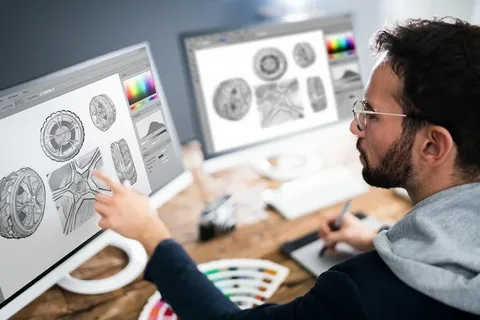
Design used to start with a blank canvas and a lot of hesitation. Even experienced designers know that the first 20 minutes often go into just figuring out direction. That part has started to shift.
AI design tools don’t replace the designer’s eye. They remove the slow beginning. You type a rough idea, and suddenly you’re looking at ten possible directions instead of one empty artboard.
For a small business owner, this change feels even bigger. They don’t need to wait for a designer to test early ideas. They can explore visuals themselves, then refine with professional help later. What people use these tools for:
- Creating social media posts without starting from scratch
- Generating branding ideas and moodboards quickly
- Testing multiple layout directions before finalizing a design
- Turning text ideas into visual drafts in seconds
- Speeding up repetitive design tasks like banners and ads
The work still needs taste. AI doesn’t know what looks “right” for a specific brand unless someone guides it. But it removes the slowest part of the process: getting started.
Popular AI design tools people actually use
Some tools sit inside apps people already know. Others exist as standalone platforms that feel closer to creative assistants than software.
| Tool | What it’s commonly used for |
| Canva AI | Social media posts, marketing designs, quick visuals |
| Adobe Firefly | Professional editing, generative design work |
| Midjourney | High-end image generation and concept art |
| Figma AI features | UI/UX design assistance and layout suggestions |
Midjourney, in particular, feels less like a design tool and more like a visual brainstorming partner. People use it to explore ideas they wouldn’t normally sketch by hand. Not because they can’t, but because it’s faster to see possibilities first.
AI video tools: where content creation got noticeably faster
Video editing used to feel like a heavy process. Timelines, cuts, transitions, audio syncing, subtitles, exports. Even short videos take time when done properly.
AI video tools didn’t remove that process completely, but they compressed parts of it. What used to take hours now takes minutes in some cases.
Creators now rely on AI for:
- Auto-editing raw footage into short clips
- Generating subtitles without manual typing
- Removing background noise and cleaning audio
- Creating short-form content from long videos
- Suggesting cuts based on pacing and engagement
The biggest shift is content volume. A single creator can now produce more without hiring a full editing team.
Tools that shaped AI video workflows
| Tool | What it’s used for |
| Runway | AI video generation and editing assistance |
| Pika | Text-to-video generation and creative clips |
| CapCut AI | Social media editing, captions, templates |
| Descript | Audio/video editing through text editing |
CapCut deserves a special mention because it quietly became the backbone of short-form content. A lot of TikTok and Instagram content now passes through it at some stage, even when creators don’t think of it as “AI-powered.”
AI in marketing: less guesswork, more structured output
Marketing used to rely heavily on trial and error. Post something, watch engagement, adjust, repeat. That still exists, but AI tools have changed how the starting point looks.
Instead of guessing what to post, marketers now get structured suggestions based on patterns, audience behavior, and past performance.
AI helps with:
- Writing ad copy variations for testing
- Generating content calendars
- Analyzing engagement patterns
- Creating campaign ideas faster
- Personalizing messages for different audiences
What’s interesting is how much time shifts from “creation” to “decision-making.” The content appears faster, but choosing what actually works becomes the real skill.
AI marketing tools people use in real workflows
| Tool | What it actually does |
| Jasper AI | Marketing copy, ads, landing pages |
| Copy.ai | Short-form content and product descriptions |
| HubSpot AI | Email marketing and CRM automation |
| Surfer SEO AI | Content optimization for search visibility |
These tools don’t just produce text. They try to align it with performance goals, which is why marketers are leaning on them more heavily than writers alone.
AI is quietly changing how businesses operate
Outside of content creation, AI has slipped into business operations in a less visible way. It’s not always about flashy tools. Sometimes it’s about removing small delays that used to slow teams down.
Think about customer support. Many companies now handle first-level queries through AI systems before a human even gets involved. Not perfectly, but efficiently enough to reduce load.
Or sales teams using AI to draft follow-up emails instead of writing each one manually. Or finance teams using tools that flag unusual patterns in data before they become problems.
It’s less about replacing roles and more about reducing repetitive thinking.Common business uses include:
- Customer support automation
- Sales email generation and follow-ups
- Data analysis and reporting summaries
- Internal documentation creation
- Workflow automation between apps
The pattern is consistent. AI takes over repetitive structure-heavy tasks, leaving humans with decisions and exceptions.
Where things feel slightly uncomfortable
There’s a quiet tension underneath all of this. The tools are useful, but they also raise expectations. If something can be done faster, it usually is expected to be done faster.
A designer who used to take two days for a concept might now be expected to deliver in one. A writer who produced three drafts a week might now be compared to someone producing ten variations. That pressure isn’t always talked about, but it’s there.
Choosing AI tools without getting overwhelmed
At some point, most people hit the same problem. There are too many AI tools, and everything claims to be the best at something. Writing tools, design tools, video tools, productivity tools. Each one promises to save time, but the real confusion starts when you try to use all of them at once.
The truth is, most workflows don’t need more than a handful of tools. The real difference comes from consistency, not quantity.A simple way to approach it is to match tools with actual daily work instead of trends.
- If you write often, focus on one strong writing tool
- If you design, pick one visual tool and learn it properly
- If you manage work, stick to one productivity system
- If you create content, choose one video tool and build around it
- If you run a business, prioritize automation tools that save time
The goal isn’t to collect tools. It’s to reduce friction in your routine.
How different people actually use AI tools
AI tools don’t look the same in every job. A student, a freelancer, and a business owner can use the same tools but in completely different ways.
A student usually wants speed and clarity. Notes, summaries, explanations that don’t take hours of reading.
A freelancer cares about output. More work delivered in less time, without losing quality.
A business owner is thinking about systems. How to save time, reduce manual effort, and keep operations running smoothly.
Here’s how that plays out in real life:
Student workflow
- Summarizing lecture notes
- Breaking down complex topics
- Drafting assignments and editing clarity
- Preparing study plans quickly
Freelancer workflow
- Writing client content faster
- Generating design drafts or variations
- Editing videos for social media clients
- Managing deadlines and task lists
Business workflow
- Automating emails and responses
- Generating marketing campaigns
- Analyzing customer data patterns
- Handling basic support queries
Same tools. Different pressure points.
What AI tools still don’t do well
For all the progress, AI tools still have clear limits. And ignoring those limits usually creates problems later.
One of the biggest gaps is judgment. AI can produce options, but it doesn’t truly understand context the way a human does. It doesn’t know brand history, audience sensitivity, or subtle tone shifts unless someone guides it carefully.
Another issue is repetition. If you rely too heavily on AI without editing, patterns start to show. Writing can feel too smooth, too balanced, too predictable. Designs can start to look familiar across different outputs.
There’s also the simple fact that AI doesn’t “own” responsibility. If something goes wrong, it doesn’t matter how good the output looked at first.
Common limitations:
- Lacks real-world judgment and context awareness
- Can produce generic or repetitive outputs
- Needs human direction to stay accurate
- Struggles with highly specific brand voice without guidance
- Cannot replace decision-making in complex situations
The people getting the best results aren’t the ones using AI the most. They’re the ones knowing when not to use it.
Where AI tools are quietly heading
There’s a noticeable direction things are moving in, even if it’s not always obvious at first glance. AI tools are becoming less separate and more embedded.
Instead of opening a “tool,” people will just find AI inside everything they already use. Writing apps, design platforms, spreadsheets, messaging tools, even browsers.
Another shift is personalization. Tools are starting to adjust to individual behavior instead of offering one fixed output for everyone. That changes how work feels over time. Less generic assistance, more tailored support.
We’re also seeing a move toward smaller, more focused tools instead of giant all-in-one platforms trying to do everything at once.
What’s likely to continue:
- AI built directly into everyday apps
- More personalized outputs based on user behavior
- Automation of repetitive background tasks
- Simpler tools instead of overloaded platforms
- Stronger focus on workflow integration rather than standalone features
It won’t feel like a big announcement moment. It’ll feel like things just becoming slightly easier over time.
A practical way to think about AI tools
Instead of treating AI tools like replacements, it helps to think of them as assistants that handle structure-heavy work. They’re good at starting things, cleaning things, and speeding things up. They’re not great at deciding what matters most. Once that line is clear, using them becomes much easier. Less pressure, fewer expectations, better results.
FAQs
1. What are AI tools mainly used for in 2026?
Most AI tools are used for writing, design, video editing, productivity tasks, marketing, and automating repetitive work in business and personal workflows.
2. Do AI tools replace human jobs?
Not directly. They reduce time spent on repetitive tasks, but humans are still needed for decision-making, creativity direction, and quality control.
3. Which AI tool is best for beginners?
Writing tools like ChatGPT or Notion AI are usually the easiest starting point because they help with simple, everyday tasks like drafting and summarizing.
4. Are free AI tools enough for professional work?
Free versions can handle basic tasks, but professionals often upgrade for higher limits, better accuracy, and advanced features.
5. What skills still matter even with AI tools?
Thinking clearly, understanding context, communication, and decision-making still matter more than tool usage itself.
Conclusion
AI tools have stopped feeling like something separate from work. They’re already part of how tasks get done, whether people notice it or not. Writing, designing, organizing, planning, even running small businesses, all of it has picked up speed because of them.
But the real change isn’t just speed. It’s how people approach work now. Less time stuck on starting points, more time deciding what actually matters. The tools don’t replace thinking. They just clear space for it.
Start Working Smarter With AI Tools
AI tools aren’t something you need to master all at once. Start with one that fits your daily routine and see how it changes the way you work. A writing tool, a design tool, or even a simple productivity assistant can quietly remove a lot of small friction points from your day. Once that happens, everything else starts to feel easier to manage. The key is not using everything, but using the right things well.